
The threats no single element shows.
An agent reads content anyone can write, holds private data, and can send data where an outsider reads it. Each part can look acceptable alone. Together they form a path an attacker can use. Threat Patterns reads your whole model and finds those paths.
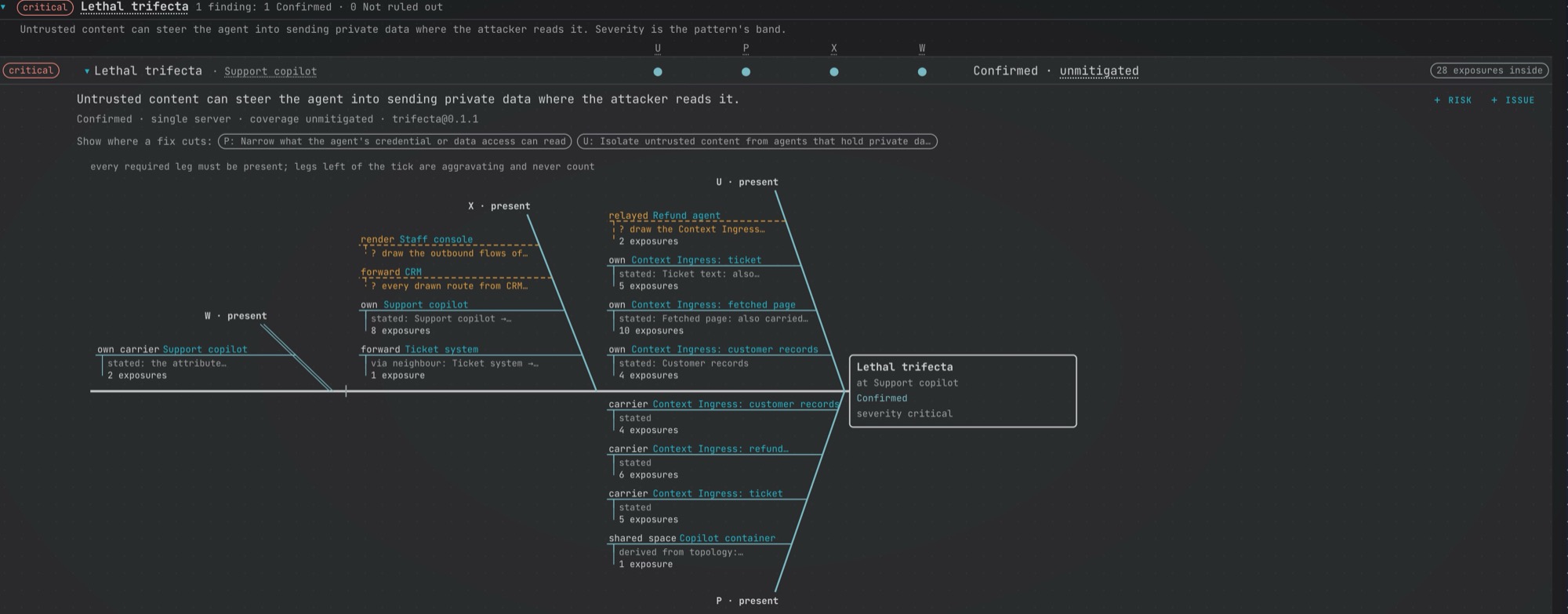
A fictional support copilot: the lethal trifecta, confirmed in the model.
The analysis runs inside your own platform, with no AI and no network calls, and a finding carries no risk score. It is confirmed in the model when every required condition is present, or not ruled out when some are present and the model does not say enough to decide the rest.
Not ruled out is not a lower grade of risk. A fact is missing, and the analysis names which one.
Threats that only appear
when conditions line up.
A finding is raised when at least two of its required conditions are present and none is shown absent. Others make it worse, but never raise it on their own.
Lethal trifecta
criticalUntrusted content can steer the agent into sending private data where the attacker reads it. Simon Willison has called this the lethal trifecta.
- Untrusted content reaches the agent
- The agent can read private data
- The agent can transmit to where an outsider reads
Makes it worse: the agent writes without approval
Credential chain
criticalA foothold in the agent stack reaches a credential that unlocks sensitive data or privileged actions.
- A foothold
- Reach to the credential
- Something it unlocks
Makes it worse: a weak credential
Injection to action
highUntrusted content can trigger a write, destructive, or code-execution action that nobody approves.
- Untrusted input
- Action tools
- No approval gate
Makes it worse: a sensitive target, or a broad identity
Delegation hop
highUntrusted content reaches an agent that hands the work, with its origin, to an agent holding the other conditions.
- Untrusted content at the delegator
- Origin carried to the delegate
- The delegate holds the rest
Makes it worse: open delegation
From a finding to
what to do about it.
Generate the analysis from your model, whoever drew it, then read the same results the way each job needs them.
Two levels: inside each component, and across them.
Each element’s class raises the threats its own configuration calls for. Threat Patterns then reads the whole model at once and raises the systemic threats across components. A finding lists the component threats inside it, so you can see how the two levels connect.
- Open a finding and its diagram shows each condition as present, absent, or undetermined, with the elements and flows behind it.
- Each route says where its evidence comes from: stated in your model, derived from what you drew, or following from an element’s class.
- A control counts only when it is linked to a technique that route stands for, and detection never counts as prevention.
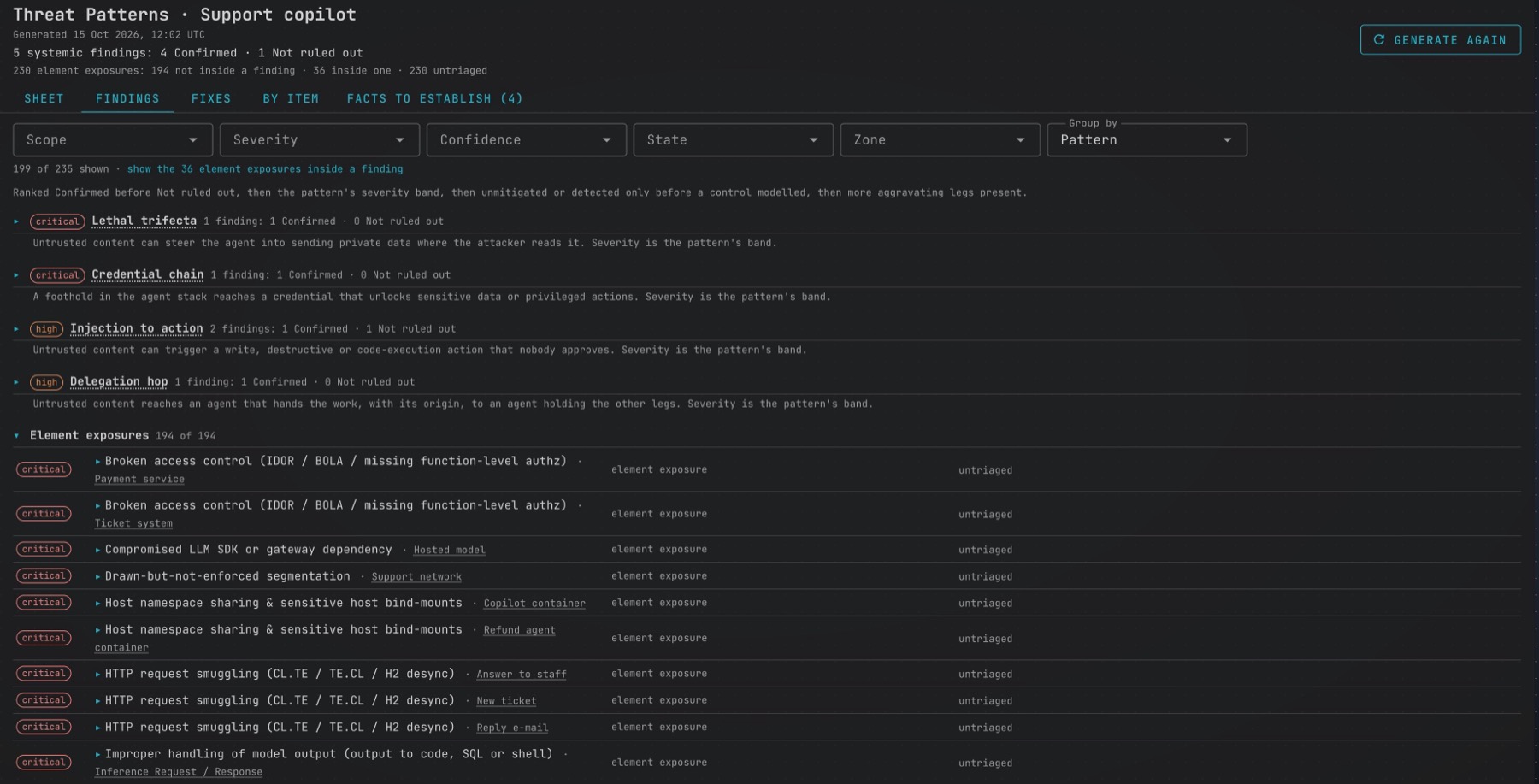
Pick a fix. It shows where the chain breaks.
Each fix names the change, the element it lands on, and who owns it, and says what it does to the finding: breaks it, downgrades it to Not ruled out, or does not break it alone. The Fixes tab ranks the changes across the whole model, strongest first.
- Select a fix on a finding and the cut lands on the diagram, on the condition it removes.
- On a vendor’s service, it separates what you can change from what only the vendor can, and names where you can compensate.
- A fix counts as breaking a finding only when a required condition becomes absent once it is applied.
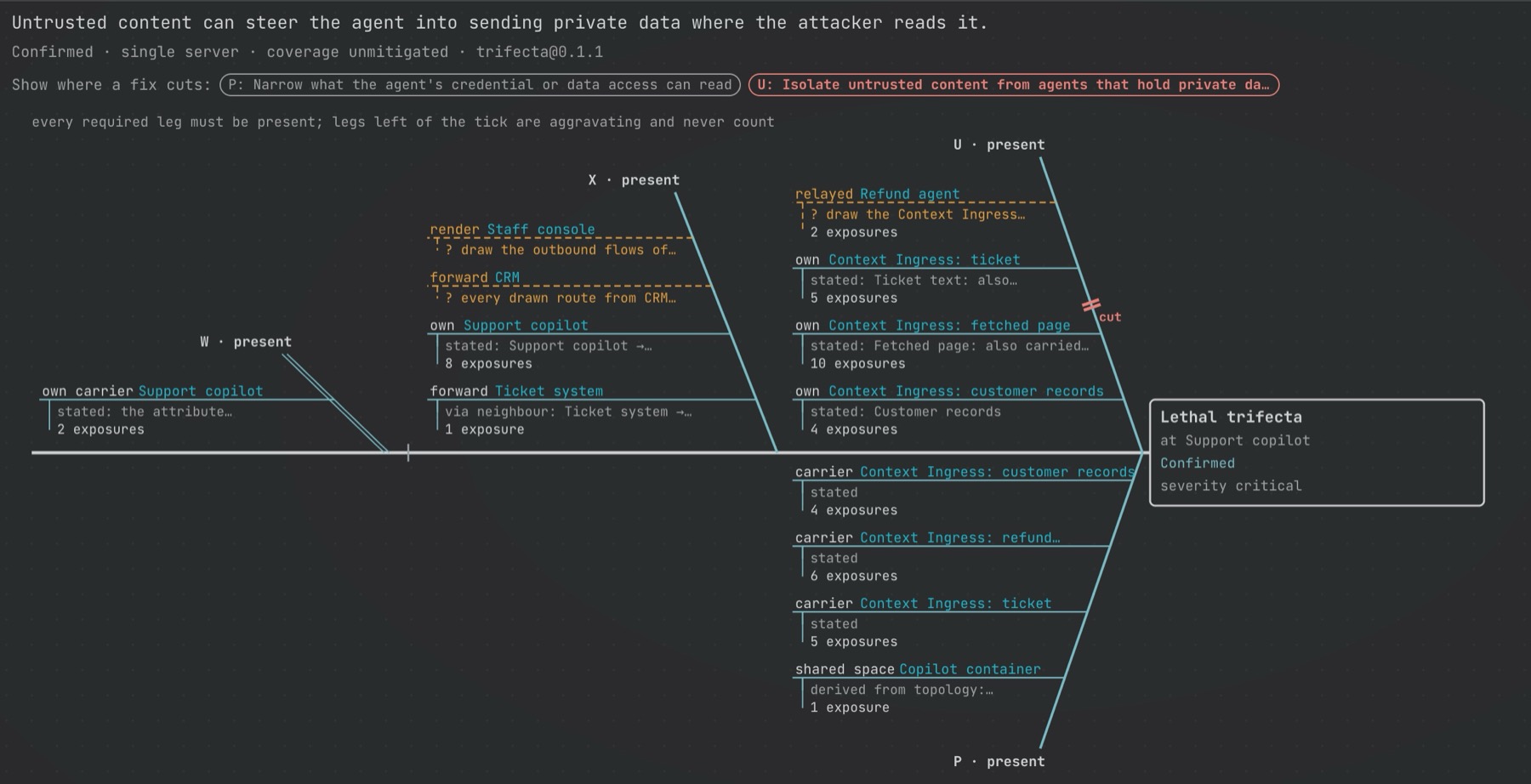
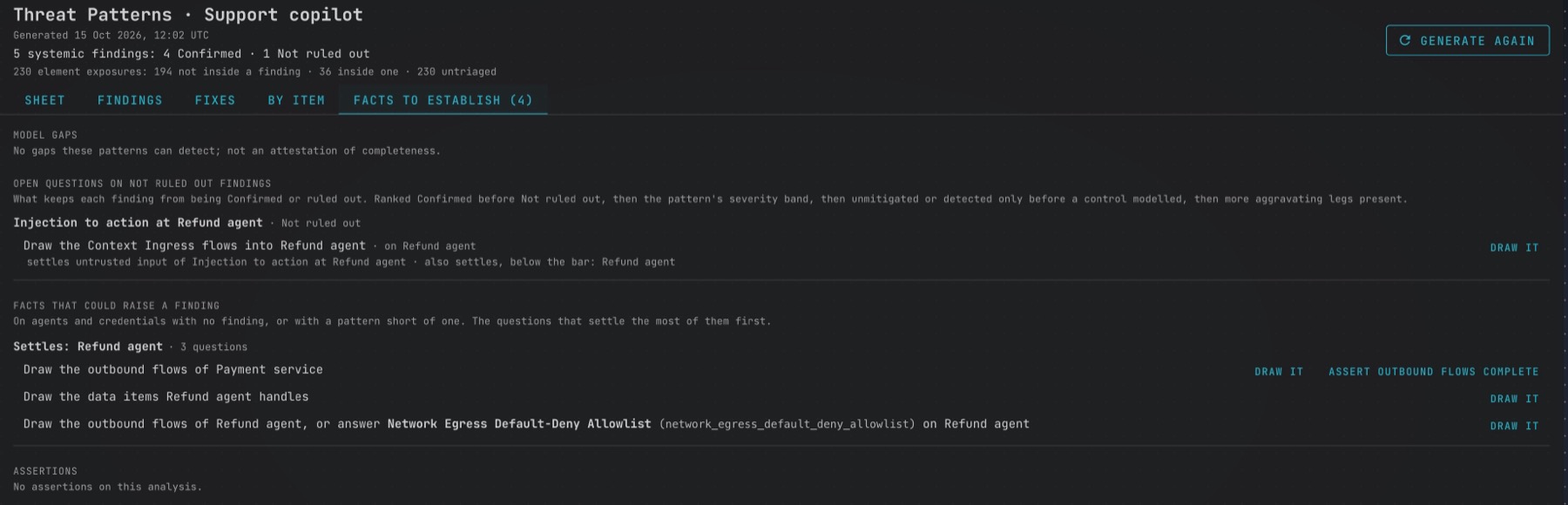
When the model cannot decide, it asks.
A finding that is not confirmed names the fact that would settle it. Each question is asked once, for one element, and the ones that settle the most come first.
- Each question says what to do: answer an attribute, draw what is missing, or ask the owner.
- An unanswered fact stays undetermined. It is never read as a safe answer.
- Not ruled out is not a lower grade of risk: a fact is missing.
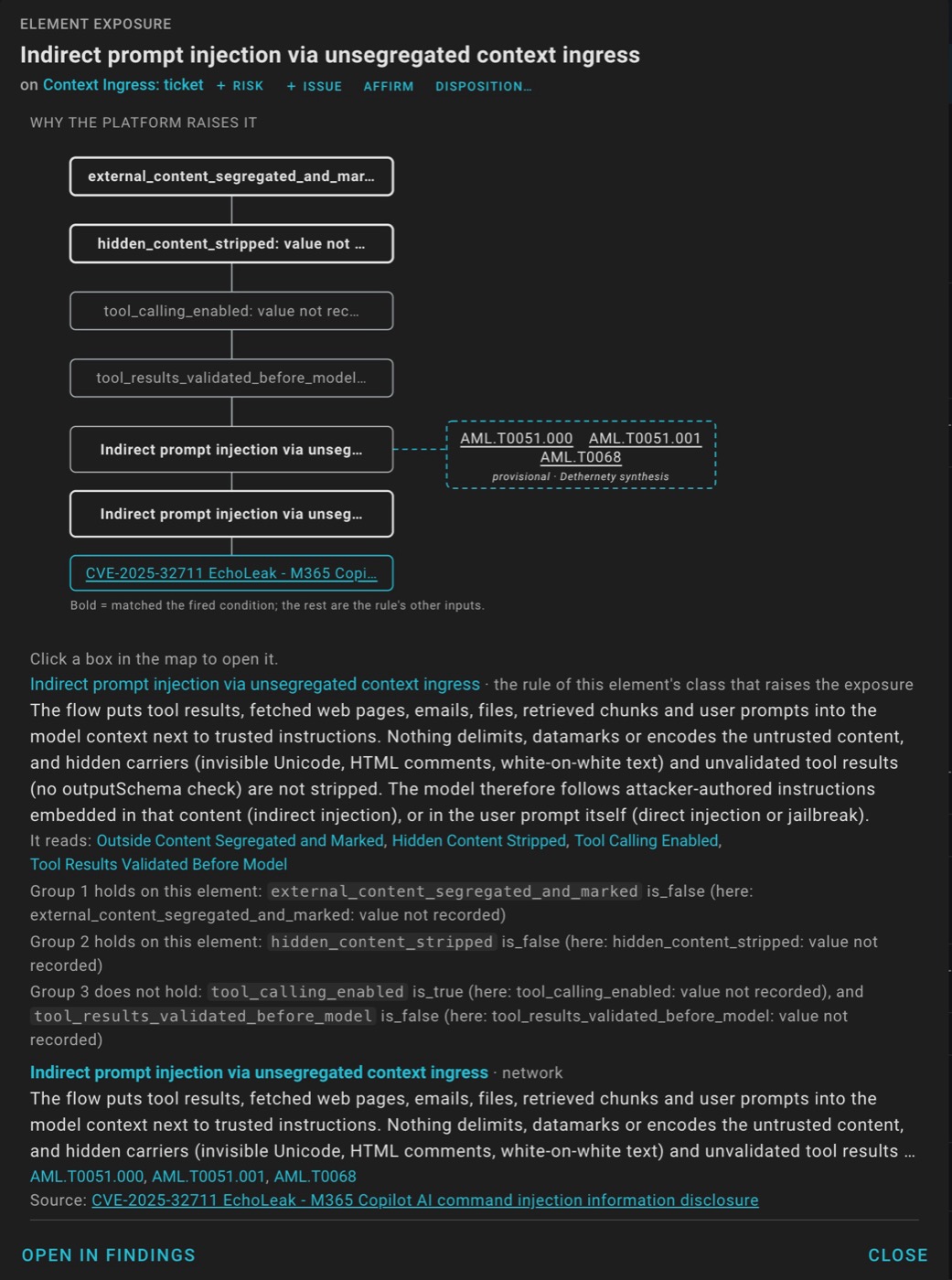
Each threat has a map, down to the sources it cites.
Open a threat and its map traces it from the attributes the rule reads, through the rule and its threat, to its techniques and the sources behind it. You can see which conditions fired, and why the platform raised it.
- Techniques come from MITRE ATT&CK or ATLAS, with MITRE’s own descriptions.
- The mapping to them is Dethernety’s own, and it is marked as a provisional synthesis.
- From here you can affirm the exposure, disposition it, or raise it as an issue or a risk.
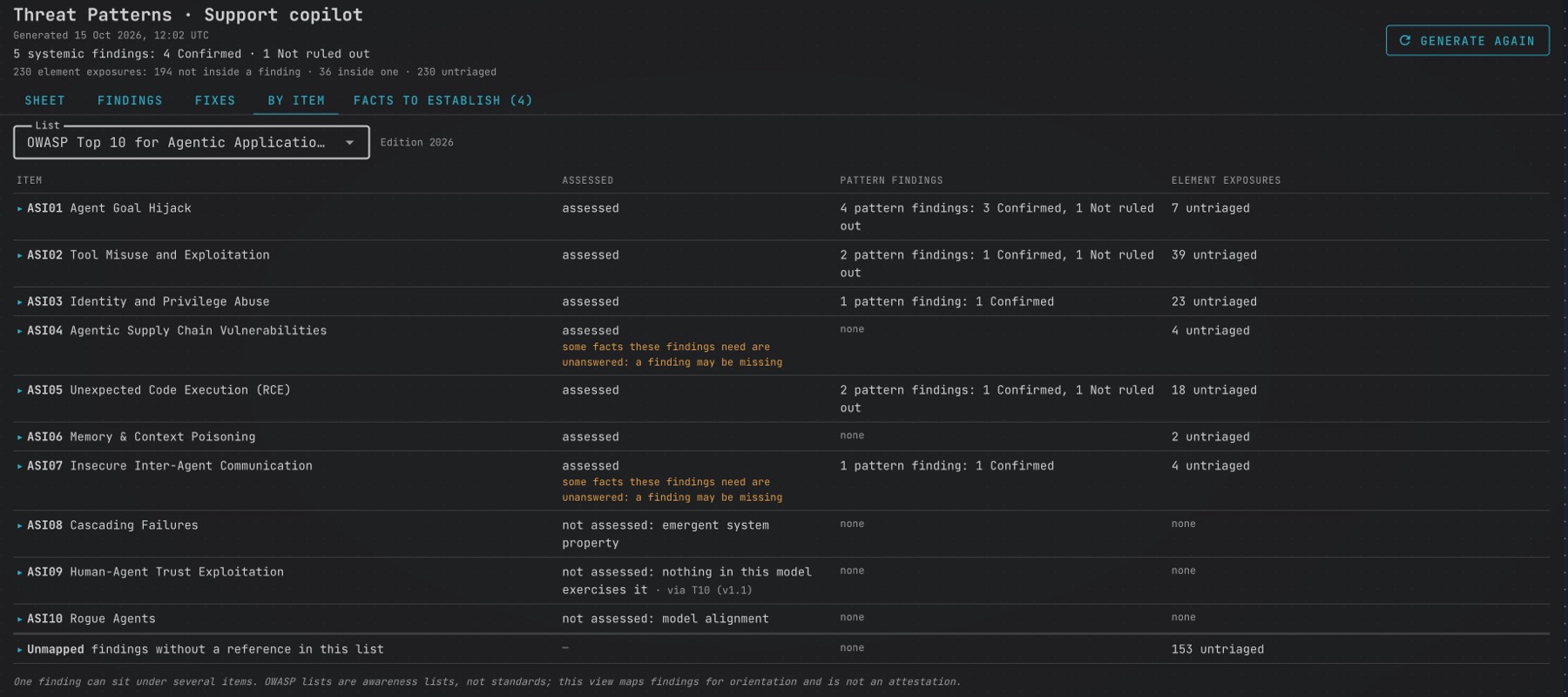
Read the same results against the lists you already use.
By item maps findings to the OWASP Top 10 for Agentic Applications, the OWASP Top 10 for LLM Applications, and the MITRE ATT&CK and ATLAS tactics. Items the analysis does not assess say so, and say why.
- Findings with no reference in a list are counted, not dropped.
- A warning shows where unanswered facts mean a finding may be missing.
- These lists orient the reader. They are not an attestation or a measure of coverage.
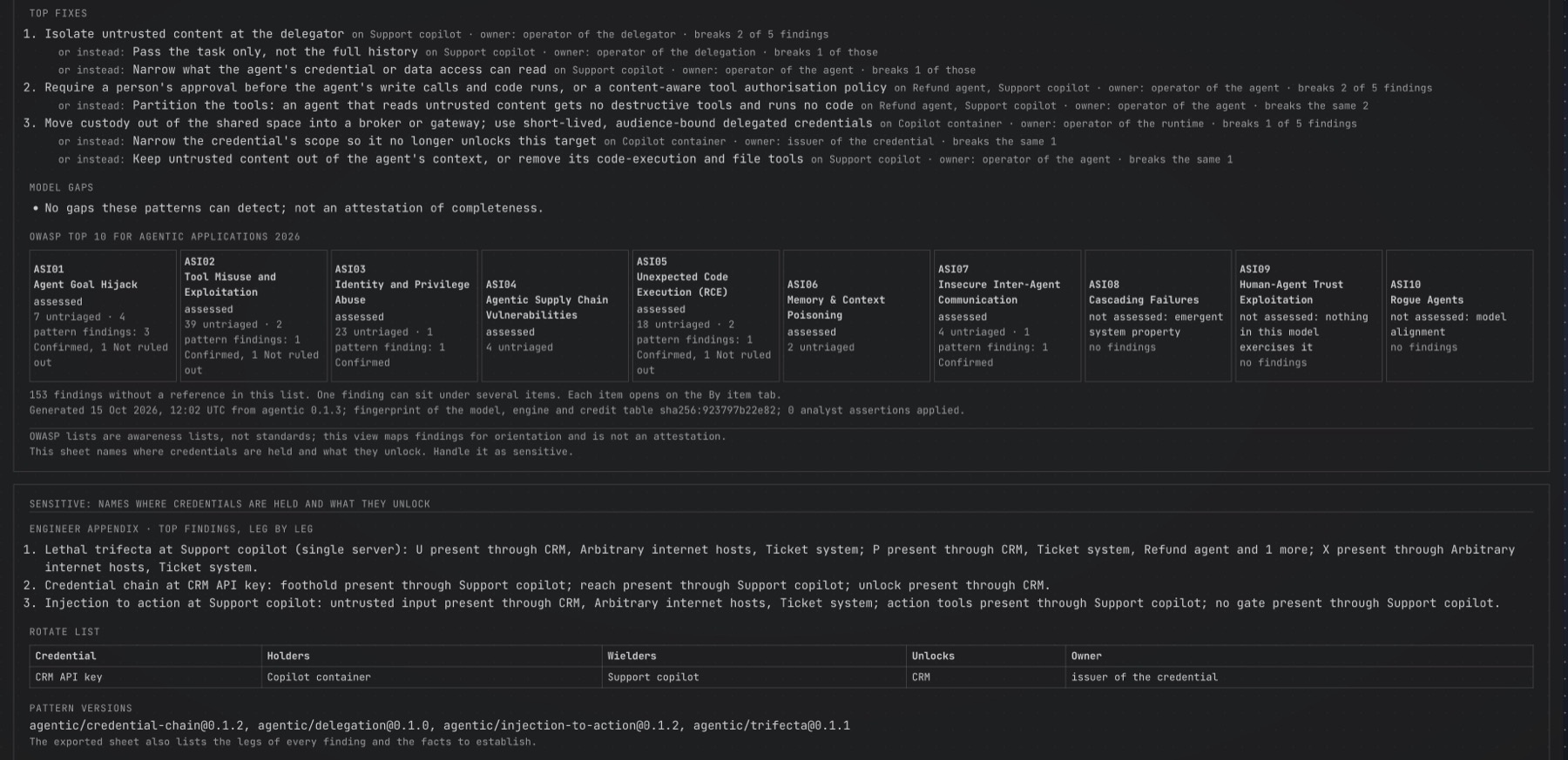
One page for the CISO, an appendix for engineers.
The sheet gathers the top findings, the top fixes, and the gaps in the model, with an OWASP Agentic strip. The engineer appendix goes through the same findings condition by condition and adds a rotate list of the credentials in any chain. Export it as HTML and print it to PDF.
- Top fixes name the change, its owner, and what it does to the finding.
- Every page carries a sensitivity mark, because the sheet names where credentials are held and what they unlock.
- Severity is the pattern’s band, not a statement about your business impact.
Findings you can
act on, and hand over.
Issues and risks
Raise a finding as a tracked issue, or record it as a risk. It enters the register as evidence, and its treatment stays for management to decide.
Analyst assertions
State a fact the model cannot say. It is labeled as your assertion wherever it counts, and goes stale when the element changes.
Knows when it is stale
A fingerprint ties each result to the model and the engine. Change the model and a banner tells you to generate again.
What it does not claim.
- “Confirmed in the model” describes the drawing. It is not proof of an exploit.
- It reads your model, not your running systems, and believes what the model states, whoever drew it.
- It never shows an all-clear, and its counts always carry a denominator.
- “Control modeled” says a control is in the model, not how well it works in practice.
Find the paths your agents open.
Threat Patterns comes with the Agentic AI package and every team edition, and needs platform 0.11.0 or later for full results.
Read the Threat Patterns guide →